How to Pasaload TNT | Send Load Using TNT
Introduction
Pasaload TNT is one of the most searched prepaid features in the Philippines because it solves a simple problem. Someone runs out of load and needs it immediately. Instead of finding a store you can send load directly from your phone within seconds.
Many users search how to pasaload TNT because they want a fast answer. They are not interested in long technical explanations. They want a clear method that works without trial and error.
TNT is operated by Smart Communications and its pasaload feature allows users to transfer load between TNT and Smart prepaid numbers.
This guide explains everything in a simple and direct way so you can send load correctly without confusion or mistakes.
What is TNT Pasaload
TNT pasaload is a prepaid service that allows you to share your mobile load with another user. Instead of buying load from a shop you can transfer your existing balance to another number.
This process does not require internet. It works using SMS or dial codes which makes it accessible on any phone.
Once the transfer is complete the amount is deducted from your balance and instantly received by the other user.
Why TNT Pasaload is Important
There are many situations where pasaload becomes useful.
A person may run out of load late at night when stores are closed. Someone may need urgent load to call or send messages. In remote areas buying load may not be easy.
Pasaload solves these problems instantly.
It is also useful for families. Parents can send load to their children without leaving home. Friends can help each other during emergencies.
Requirements Before You Pasaload TNT
Before sending load you must check a few important things.
- Your SIM must be active. If your SIM is inactive the system will reject your request.
- You must have enough balance. This includes the amount you want to send plus the service fee.
- The receiver must have an active TNT or Smart prepaid number.
If any of these conditions are not met the transaction will fail.
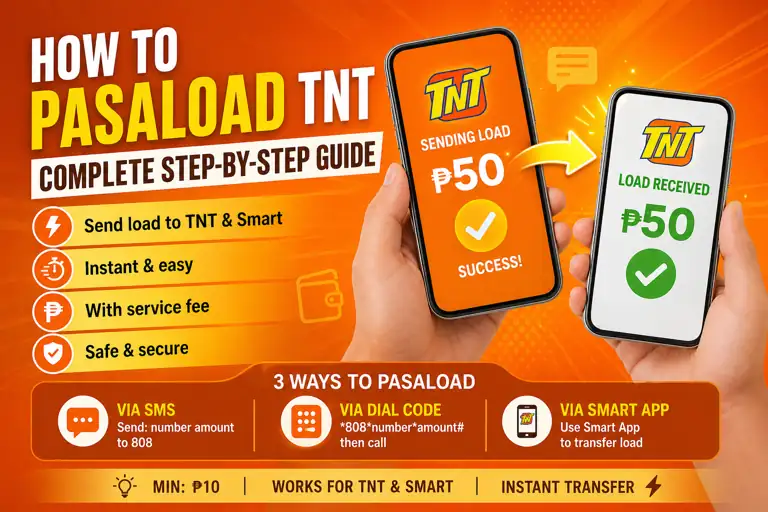
Method One How to Pasaload TNT Using SMS
This is the easiest and most commonly used method.
- Open your messaging application.
- Type the receiver number.
- Add a space.
- Type the amount you want to send.
09123456789 50
Send this message to 808.
After sending you will receive a confirmation message. The receiver will also receive a notification.
This method works on both smartphones and basic phones.
Method Two How to Pasaload TNT Using Dial Code
This method is useful when SMS is not working.
Dial the following format
Press the call button.
Follow the instructions on your screen and confirm the transfer.
Method Three How to Pasaload TNT Using Smart App
If you prefer using apps you can use the Smart mobile application.
- Open the Smart app.
- Log in using your TNT number.
- Find the load transfer option.
- Enter the receiver number and amount.
- Confirm the transaction.
This method requires internet but offers a more visual process.
TNT Pasaload Charges
Pasaload is not a free service.
There is a small service fee charged for each transaction.
This fee is deducted together with the amount you send.
For example if you send fifty pesos your balance must be higher than fifty pesos.
Always check your balance before sending.
Minimum and Maximum Pasaload Amount
There are limits for pasaload transactions.
The minimum amount is usually ten pesos.
The maximum amount depends on network rules and account status.
You cannot send large amounts in a single transaction. If needed you must split the transfer into multiple smaller amounts.
How Fast is TNT Pasaload
Pasaload is designed to be instant.
Once you confirm the transfer the receiver gets the load within seconds.
In rare cases there may be a delay due to network issues but this is not common.
Common Problems and How to Fix Them
Transaction failed
This usually happens when your balance is not enough. Check your balance and try again.
Incorrect format
Make sure you typed the number and amount correctly. Even a small mistake can cause failure.
Wrong number entered
Always double check the number before sending. Pasaload transactions cannot be reversed.
No confirmation message
Wait for a few minutes. Check your balance. If the amount is deducted the transaction was successful.
Receiver did not get load
Ask the receiver to check balance again or restart their phone.
Safety Tips for TNT Pasaload
- Always verify the number before sending load.
- Do not send your entire balance. Keep extra for service fees.
- Avoid sending load to unknown users.
- Do not perform too many transactions quickly as the system may block your activity.
When Should You Use TNT Pasaload
Pasaload is best used during urgent situations.
If someone needs load immediately this is the fastest method.
It is also useful when you want to help family members without asking them to buy load themselves.
Limitations of TNT Pasaload
- Pasaload only works within TNT and Smart networks.
- You cannot send load to other networks.
- There are limits on how much you can send.
- Each transaction includes a service fee.
- The feature requires an active SIM.
Comparison with Other Methods
Pasaload is faster than buying load from a store.
It is more convenient than online top up when internet is not available.
However it has service fees while some online methods may offer discounts.
Real Search Intent Based Strategy
Your keyword data shows strong demand for terms like:
- how to pasaload TNT
- how to send load TNT
- pasaload smart TNT
This means users are looking for direct instructions.
They want fast answers and simple steps.
That is why this article focuses on clarity instead of unnecessary explanations.
Advanced Tips for Better Use
- Use SMS method for reliability.
- Use dial code as backup.
- Always maintain extra balance.
- Avoid sending during network downtime.
Related TNT Guides
- How to Activate TNT SIM — Start with a properly activated SIM before using pasaload.
- TNT Balance Inquiry — Always check your load balance before sending pasaload.
- TNT Promo — Explore the best promos to maximize your load after receiving pasaload.
- TNT SurfSaya — Affordable data promos perfect for users who receive shared load.
- TNT Roaming Activation — Use pasaload even when traveling abroad with roaming enabled.
- TNT Customer Service — Contact support if you face issues with pasaload transactions.
Frequently Asked Questions
Send number space amount to 808.
Yes TNT can send load to Smart prepaid numbers.
Yes it usually takes a few seconds.
Minimum is usually ten pesos.
No once sent it cannot be reversed.
Final Conclusion
TNT pasaload is one of the most practical features for prepaid users. It allows quick sharing of load without depending on stores or internet access.
The process is simple but requires attention. A small mistake like entering the wrong number can result in lost balance.
If you follow the correct steps you can use pasaload safely and efficiently.
This feature saves time and solves urgent problems which is why it remains highly popular among TNT users.