How to Activate TNT SIM Complete Guide for New Users in 2026
If you just bought a TNT SIM and it is not working yet you are not the only one facing this problem. Follow this complete step-by-step guide to get your SIM fully activated today.
If you just bought a TNT SIM and it is not working yet you are not the only one facing this problem
This situation is very common especially for new users who expect the SIM to work immediately after inserting it into the phone
That used to be true in the past but things have changed now
Today activating a TNT SIM is not just about putting it inside your phone
There is a full process that must be completed before your SIM becomes fully usable
Many people do not understand this and end up thinking their SIM is defective or the network is not working
In reality the issue is almost always incomplete activation
If you follow the correct steps your SIM will start working without any problem
What Really Happens When You Insert a TNT SIM
When you insert your TNT SIM into your phone your device tries to connect with the network
You may see signal bars appear on your screen
Sometimes you may also receive a welcome message
This gives you the impression that everything is working fine
But the truth is different
At this stage your SIM is only partially active
The network has detected your SIM but it has not yet approved it for full use
This is why you might see signal but still cannot make calls or use mobile data
The missing step here is registration
Why TNT SIM Registration is Required
Many users ask why this extra step is needed
The answer is simple
There is a national rule in the Philippines that requires all SIM cards to be registered with real user information
This rule was introduced to reduce fraud and illegal activities
Because of this every SIM must be linked to a real identity
If you do not complete registration your SIM will not work properly
In some cases it may even get permanently deactivated
So this is not something you can ignore
Things You Need Before You Start Activation
Before you begin the process you should prepare everything you need
This will make the process smoother and faster
You will need
- a valid ID such as passport or national ID
- a mobile phone with the SIM inserted
- internet connection
- a clear photo of your ID
Many users run into problems because they start the process without these things ready
Step-by-Step TNT SIM Activation Process
Start by turning off your phone
Insert the TNT SIM into the correct slot
Make sure it is properly aligned
Turn your phone back on
After the phone starts check your screen
You should see signal bars
If you do not see signal
- remove the SIM and insert it again
- restart your phone
- check if the SIM is placed properly
This step is simple but very important
After inserting the SIM your phone will connect to the network
This may take a few seconds
Sometimes you will receive a welcome message
Sometimes nothing will appear
Both situations are normal
At this point your SIM is still not fully active
Now comes the main step
Open your phone browser
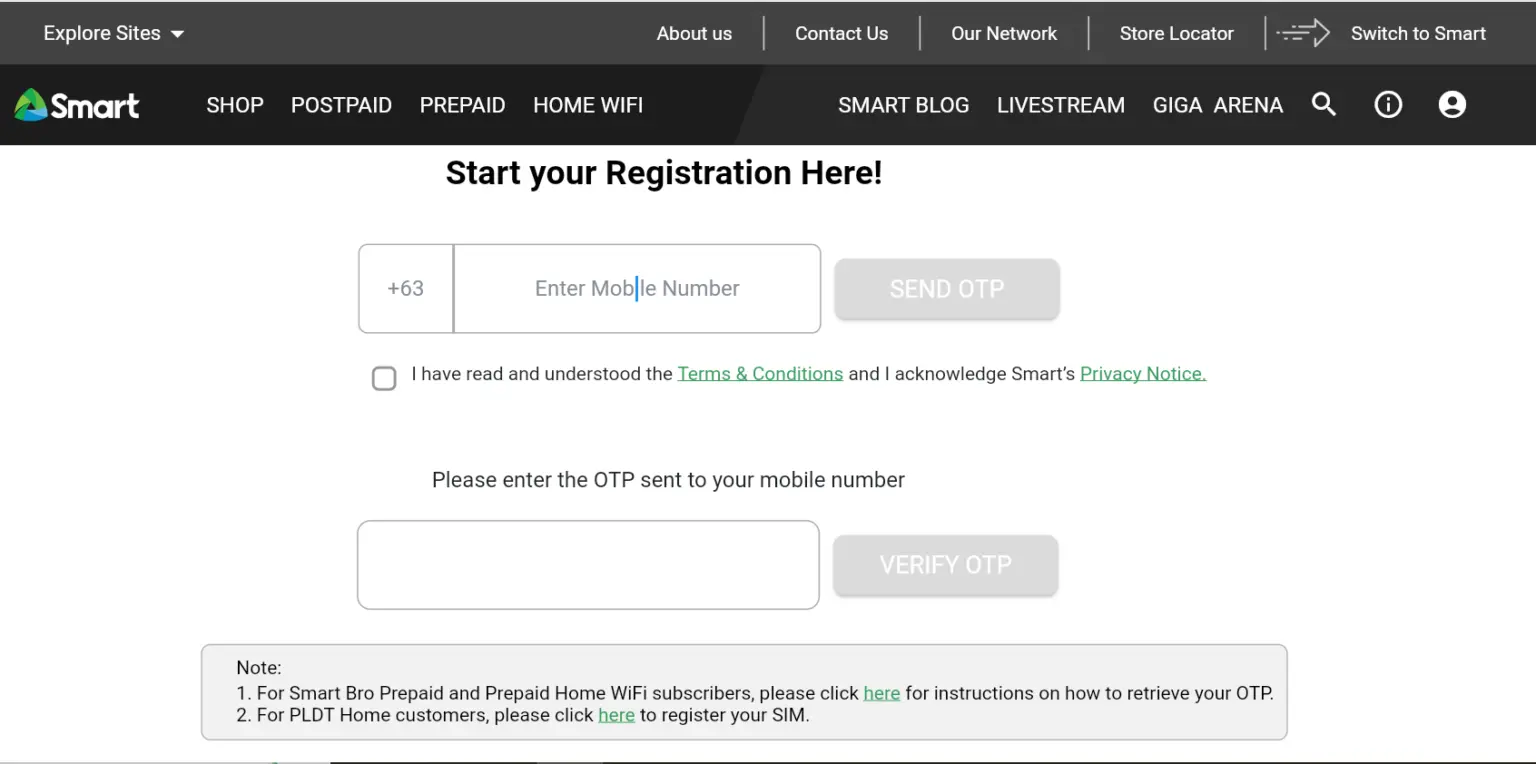
Go to the official TNT or Smart SIM registration page
This is where the actual activation happens
Do not use random websites because they may not work or may cause problems
Always use the official platform
Type your TNT number into the required field
After that you will receive a code on your phone
This code is used to verify your number
Enter the code on the website
If you do not receive the code
- wait for a few seconds
- request a new code
- check your signal
This step confirms that you are using the SIM
Now you will be asked to enter your personal details
This usually includes
- your full name
- your date of birth
- your address
You must enter correct information
If your details do not match your ID your registration may fail
Take your time and check everything carefully
You will now need to upload a photo of your ID
Make sure the image is clear
All text should be visible
Nothing should be cut off
Many users fail at this step because they upload blurry images
If your image is not clear the system may reject it
In some cases you will be asked to take a selfie
This is used to confirm your identity
Make sure your face is clearly visible
Use good lighting
Avoid shadows or blurry images
This step helps prevent fraud
Before submitting your form check all your details
Make sure everything is correct
Once you submit the form the system will process your information
If there are mistakes it may cause delays
After submission you will receive a confirmation message
This means your SIM is now fully active
Once activated
- you can make calls
- you can send messages
- you can use mobile data
At this point your SIM is ready to use
Alternative Ways to Activate TNT SIM
If you do not want to use the website there are other options
You can use the mobile app
You can also visit a Smart store
At the store you can show your ID and staff will help you complete the process
This is helpful if you are not comfortable with online steps
Common Problems During Activation
Many users face similar issues during activation
Understanding these problems can help you fix them quickly
SIM Shows Signal but Does Not Work
This is the most common issue
It means your SIM is not fully registered
Solution Complete the registration process
OTP Code Does Not Arrive
Sometimes the code is delayed
Solution
- wait a few seconds
- try again
- check your signal
ID Upload Does Not Work
This happens when the image is not clear or too large
Solution
- use a better image
- reduce file size
- ensure all details are visible
No Confirmation After Submission
Sometimes the system takes time
Solution
- wait patiently
- restart your phone
- check your messages again
Mistakes You Should Avoid
Most problems are caused by simple mistakes
Users often
- rush through the process
- enter incorrect information
- upload unclear ID images
- skip important steps
Avoiding these mistakes will make activation much easier
How Long Does TNT SIM Activation Take
In most cases activation is quick
Registration usually takes a few minutes
Activation happens shortly after
Sometimes it may take longer but this is not common
Practical Advice Based on Real Experience
From real user experience one thing is clear
People who rush the process face problems
People who follow each step carefully complete activation without issues
The difference is patience
Taking a few extra minutes to check your details can save you hours of frustration
Advantages of Activating Your TNT SIM Properly
When you activate your SIM correctly
- you get full network access
- your calls and messages work without interruption
- your data works smoothly
- your SIM remains secure
Disadvantages of Incorrect Activation
If you do not follow the process properly
- your SIM may not work
- your services may be blocked
- your load may be wasted
- you may need to repeat the process
Future of SIM Activation
Telecom systems are improving
In the future activation may become faster and easier
There may be automatic verification systems
Digital identity systems may also simplify the process
Final Thoughts
Activating a TNT SIM is not difficult once you understand the process
You just need to follow the steps carefully
- Insert the SIM
- Complete the registration
- Verify your identity
Once done your SIM will work without any issues
If your SIM is not working right now
you most likely missed a step
Go back and follow the process properly
Explore More TNT Guides
Check out our other helpful TNT resources:
TNT PROMO — Best promos and data offers for TNT users
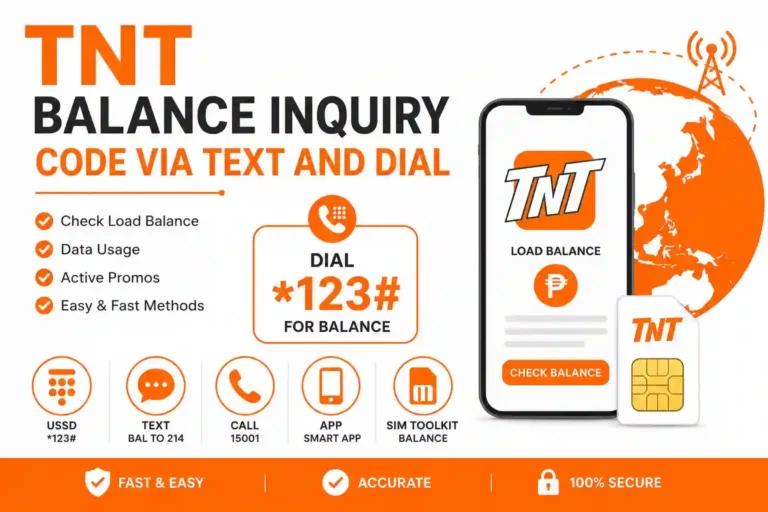
TNT Balance Inquiry — Quick ways to check your load balance
Quick Answers
Why is my TNT SIM not working It is not registered
Do I need internet for activation Yes for registration
Can I use the SIM without registering No
How long does activation take Usually a few minutes
Frequently Asked Questions
If your TNT SIM is not working after inserting it, the most likely reason is that it has not been registered yet. In the Philippines, all SIM cards must be registered under the SIM Registration Act before they can be used for calls, texts, and data.
Yes, you need an internet connection to complete the online registration process. You can use WiFi or mobile data from another active SIM to access the official TNT or Smart SIM registration website.
No, you cannot use a TNT SIM without completing the registration process. The Philippine government requires all SIM cards to be registered with real user information. Unregistered SIMs will be deactivated.
TNT SIM activation usually takes only a few minutes after you complete the registration and submit your details. In some cases, it may take a bit longer if there is high traffic on the registration system.
You can use a valid government-issued ID such as a passport, driver’s license, national ID, or any other ID recognized by the Philippine government for SIM registration purposes.
If your OTP does not arrive, wait a few seconds and try requesting a new one. Make sure you have good signal strength and that your SIM is properly inserted. You can also restart your phone and try again.